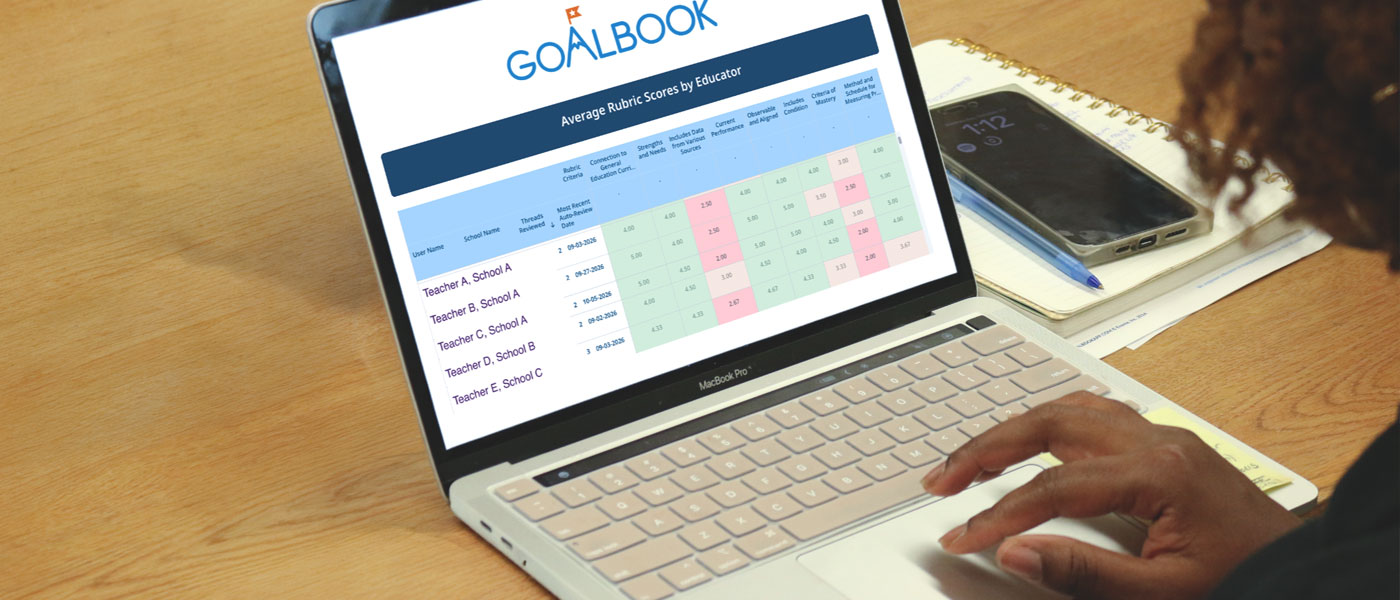

The Goalbook Analytics Dashboard shows present levels and goal quality by school and educator, so leaders can target coaching
Oftentimes, concerns about IEP quality don’t surface until a parent complaint hits your desk, a due-process filing arrives in the mail, or a monitoring finding is issued. By then, it’s a problem to resolve instead of a coaching opportunity.
What if you could see IEP quality while plans are still being written? The Goalbook Analytics Dashboard for district and school site leaders gives you district- and school-wide visibility into IEP quality, so you can target coaching to improve instruction. The dashboard scores come from Auto-Review in Goalbook Threads, the AI-assisted Goalbook Toolkit workflow educators can use to create IEP content. Threads helps educators build the Golden Thread, from present levels to goals to specially designed instruction (SDI). Auto-Review scores present levels and goals each time an educator runs it, so the data reflects the plans your team is writing now.
Catch quality gaps early and coach where it’s needed
- See quality while plans are still in development. The dashboard shows present levels and goal quality before IEPs are finalized. You can address a quality issue early instead of first hearing about it through a complaint.
- Measure against one shared standard. Scores are based on quality indicators aligned to Individuals with Disabilities Education Act (IDEA) requirements. If your district uses its own custom rubric*, the dashboard reports on that same rubric, so every school is held to the same definition of quality. It also replaces the older static Goalbook Toolkit user list, so leaders work from one consistent source.
- Aim coaching, professional development (PD), and specialists where they are needed. Heat maps show whether a need is district-wide or limited to one or two schools. See where educators would benefit from additional support, and bright spots you can recognize and share, which helps you allocate limited resources and build team confidence.
- Know whether educators are acting on feedback. The dashboard displays the percentage of Threads that have been reviewed multiple times. An educator who reads the feedback, revises, and runs Auto-Review again builds skill, and you can see that progress across your system.
Build a review rhythm in four steps
The dashboard is built for ongoing use, not a one-time report. Leaders use it in four steps:
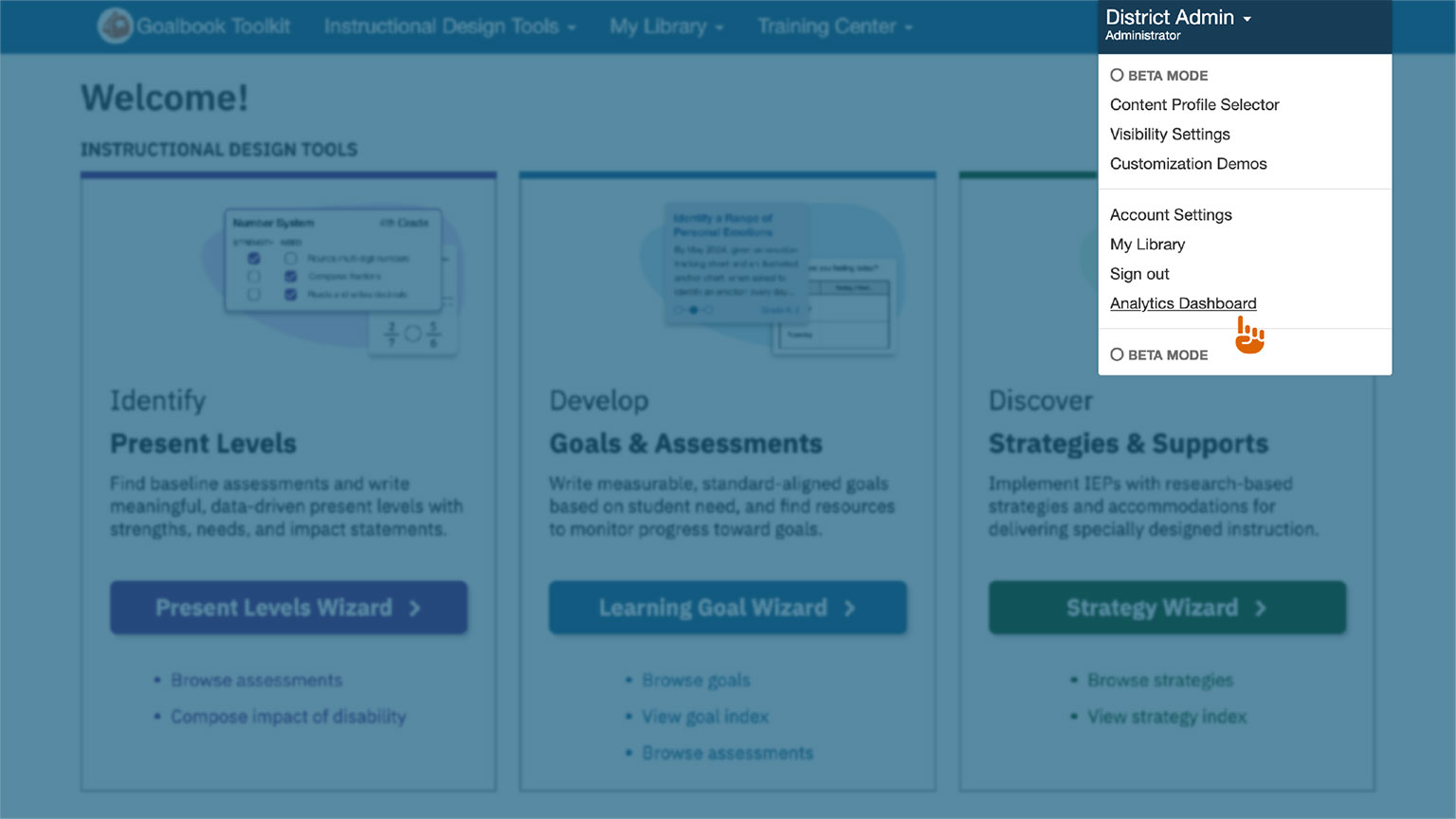
- Open: In Goalbook Toolkit, click the drop-down next to your name, and select “Analytics Dashboard.”
- Audit: See current Threads quality across your system.
- Assess: Find patterns by school, region, role, and program.
- Review: Track trends on a regular basis. Some leaders review data weekly, others quarterly.
Your Goalbook Success Manager, a former special educator, works with you to build this review rhythm into the routines you already have, such as central office reviews, regional check-ins, and coaching cycles.
Eight quality indicators, from district to each thread
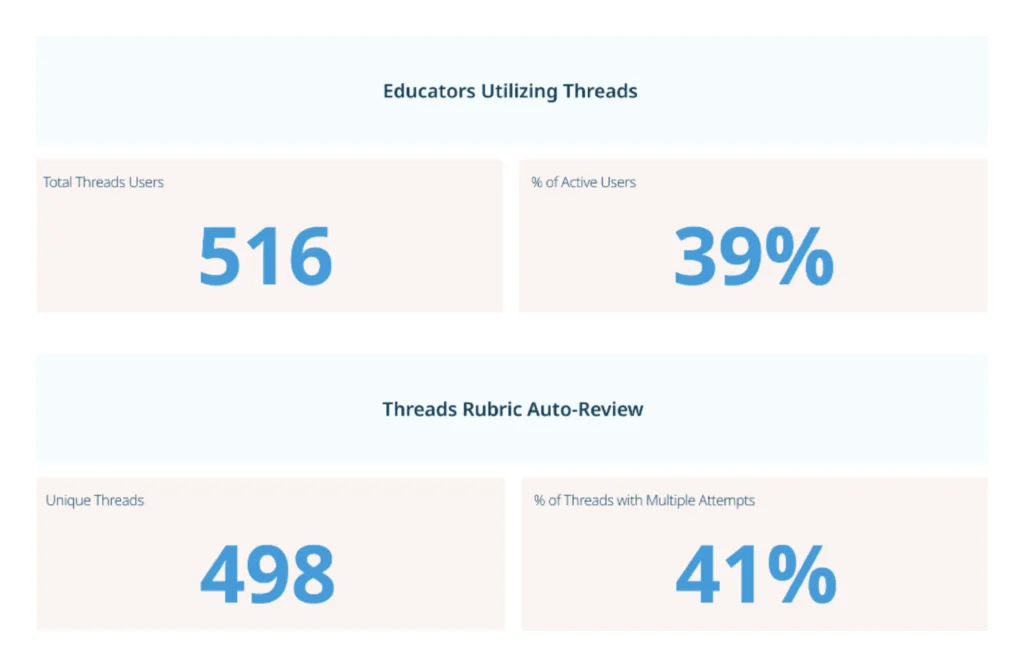
- Activation and engagement data, updated every weekday. See whether Goalbook Toolkit is being used and how, without waiting for a mid-year or end-of-year review. Your dashboard data refreshes Monday through Friday.
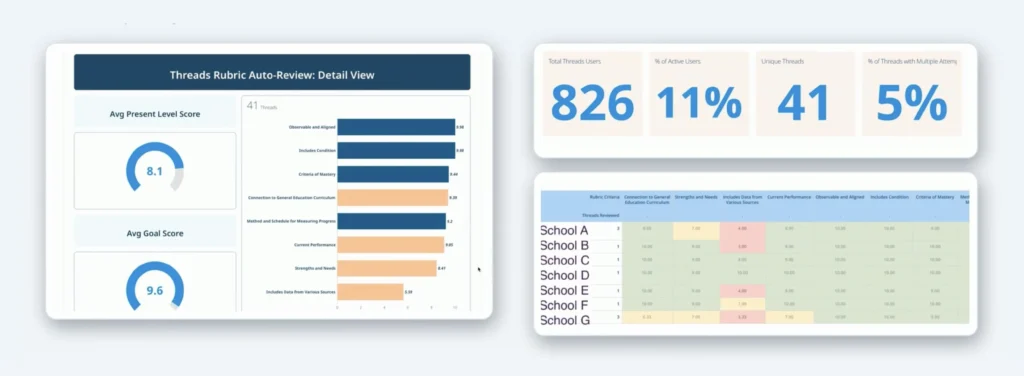
- Threads adoption and review volume. See who is using Threads, what share of your active users that represents, how many Threads have run through Auto-Review, and how many were reviewed more than once.
- Quality by rubric indicator. Average present level and goal scores across eight indicators, ranked from highest to lowest:
- Present levels: Current Performance; Strengths and Needs; Includes Data from Various Sources
- Goals: Observable and Aligned; Includes Condition; Connection to General Education Curriculum; Criteria of Mastery; Method and Schedule for Measuring Progress
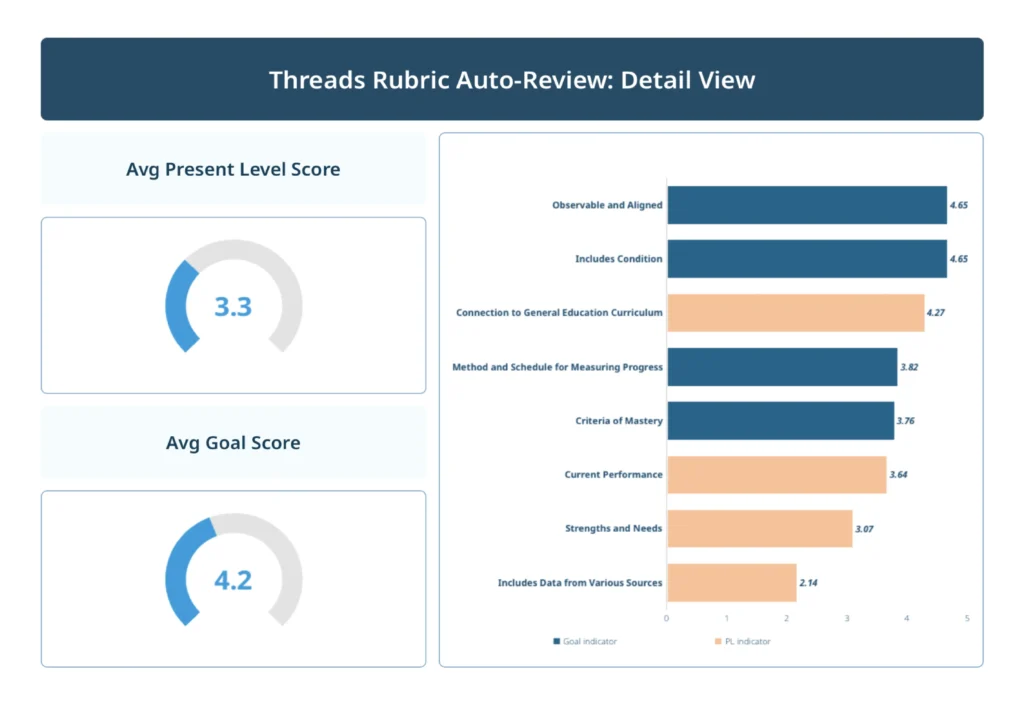
- Radar view. All indicator scores in a single visual format, so district strengths and growth areas are visible at a glance.
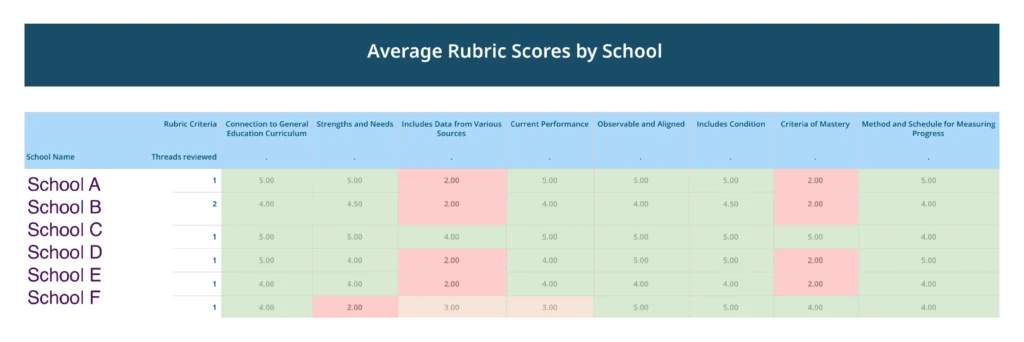
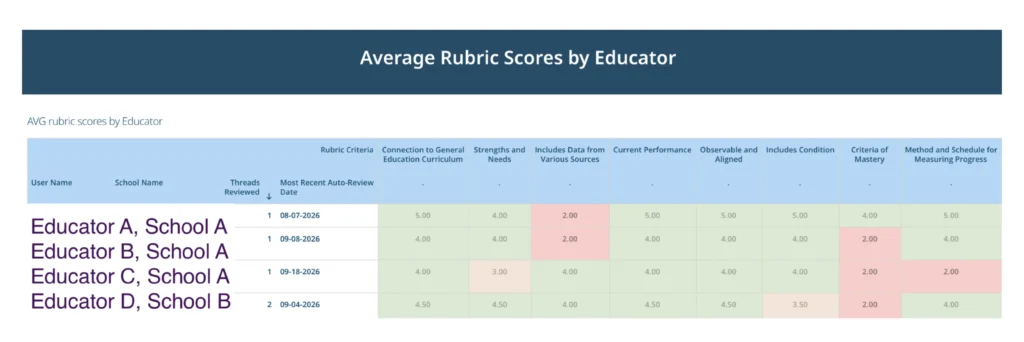
- Heat maps by school and by educator. Red indicates focus areas for coaching. Green indicates bright spots worth recognizing.
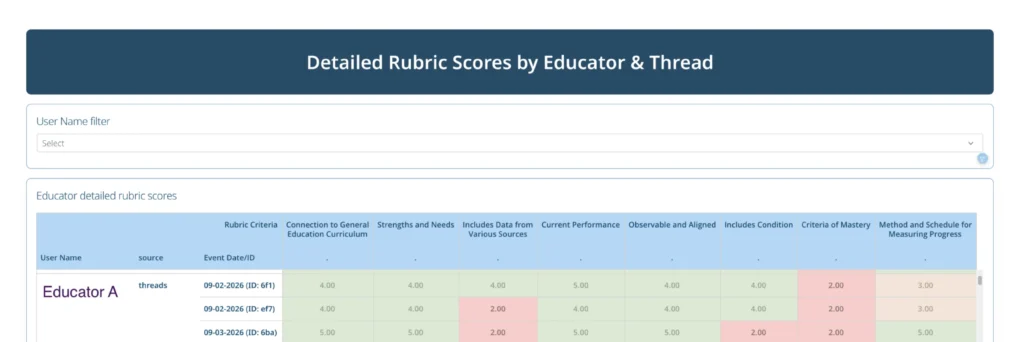
- Educator and Thread views. Each educator’s average scores and last Auto-Review date, plus a line for every Thread they have written, to anchor coaching conversations. Data can be exported.
Request access from your customer success manager
To get the Goalbook Analytics Dashboard, contact your Goalbook Success Manager to request it at no extra cost for eligible partners. Your Success Manager grants access to you and the leaders you choose.
Goalbook builds special educators’ skill, from the IEP to the instruction that follows.
Don’t have an account? Learn more!
*Custom rubrics can be requested
